
action:Stream_Deck_Set_Image
**This is an old revision of the document!**
Table of Contents
Stream Deck Set Image
The Stream Deck Set Image action allows you to set a Stream Deck button to a specified image.
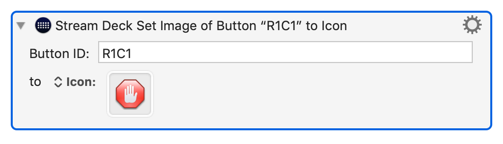
You specify the Button ID of the button to change. If two buttons have the same ID, both will change.
You can set the button image to:
- The default image (a Keyboard Maestro icon)
- This macro’s icon
- A specific macro’s icon
- An image in the System Clipboard, Trigger Clipboard, or a Named Clipboard.
- A specific icon, which can be configured with the Icon Chooser.
See Also
Actions
action/Stream_Deck_Set_Image.1563169499.txt.gz · Last modified: by peternlewis