
action:Set_Variable_to_Calculation
**This is an old revision of the document!**

Set Variable to Calculation Action
The Set Variable to Calculation action sets a variable to the result of a calculation with numeric formatting.
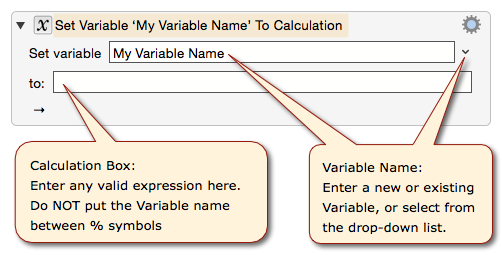
You may use the following in the to calculation box:
The to field is a numeric field so you cannot use any of the Clipboard tokens or indeed any text tokens.
Using Keyboard Maestro Variable Names in the to calculation box:
- Do not use the text token syntax for a Variable, like
%Variable%My Variable Name%. - Instead, you just use the Variable name without any
%, likeMy Variable Name
Example
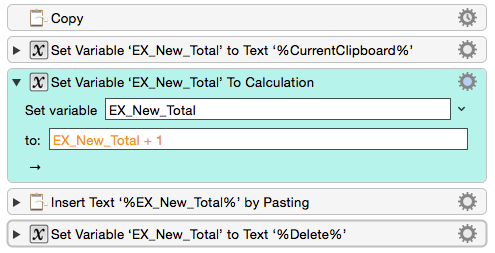
The below macro performs a simple calculation of adding 1 to the value currently selected by the user in the user's document, and then pasting the new value back into the user's document.
See Also
Actions
Functions
Forum
action/Set_Variable_to_Calculation.1459321093.txt.gz · Last modified: by peternlewis