
action:Pause_Until
**This is an old revision of the document!**
Table of Contents

Pause Until Action
The Pause Until action pauses until criteria for conditions are met.
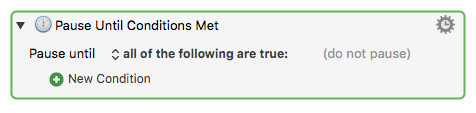
Fields on the Pause Until Action
Criteria for condition(s)
- Any of the following are true — at least one condition must be true.
- All of the following are true — every condition must be true.
- None of the following are true — no condition is true.
- Not all of the following are true — at least one condition must be false.
Conditions
- Add one or more new conditions by clicking the green + button beside New Condition to select from a list of available conditions.
- Conditions are grouped by the following categories. See the Conditions section for further details.
List of Available Conditions
- After selecting a condition category you can make further choices. For example, if you choose the Application Condition you can choose a specific application to be running, or at the front, and so on.
- Add further conditions by clicking the green + button again.
Examples
1. Pause Until the “Finder” app is at front, and the ⌘ key is pressed.

2. Pause Until the Mouse Is Clicked
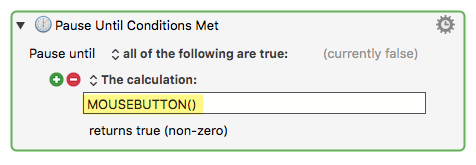
For a discussion or other approaches, see this Forum Post.
See Also
Actions
Forum
action/Pause_Until.1480244766.txt.gz · Last modified: by alain